Basic or Pro
Both keep your hands and eyes focused on the work.
Two payment plans, annual or monthly. Onboarding is free for a limited time. Subscription pricing will be announced soon.
- Power, pulse duration, frequency & beam diameter — up or down by increments, read back out loud
- Status queries — ask the current value of any parameter
- Load a recipe by number
- Save a recipe — anytime, no need to load one first
- Load a pulse shape by metal — platinum, sterling, white/yellow/rose/green gold, titanium
- Open/close the shutter by voice
- Argon on/off
- Take a pic · start/stop video
- English, Spanish, Italian, French
- Customer portal & recipe management
- Support through the website user portal
- Power, pulse duration, frequency & beam diameter — up or down by increments, read back out loud
- Status queries — ask the current value of any parameter
- Load a recipe by number
- Save a recipe — anytime, no need to load one first
- Load a pulse shape by metal — platinum, sterling, white/yellow/rose/green gold, titanium
- Open/close the shutter by voice
- Argon on/off
- Take a pic · start/stop video
- English, Spanish, Italian, French
- Customer portal & recipe management
- Support through the website user portal
- +Load recipes by phrase, not just number — speak the name you gave it and LA loads it
- +Shutter prompting — LA notices activity and offers to turn the shutter on before you press the laser's pedal.
- +Argon tagging — map argon on or off to any recipe
- +Pics & video upload to your portal on request — favorite, delete and download to your PC to email to clients
- +Framing — a virtual circle sized to your current beam diameter showing the outline of the laser's blast on the screen
- +Ruler — a virtual ruler on your welder's screen
* Every feature listed is included only if your laser welder has the ability to support it. During setup we confirm exactly which features your welder supports.
Remote setup, free for a limited time.
A technician remotely installs the Laser Assistant relay application on your laser welder so it connects to our server. It's a real working setup, not just a download link. Onboarding is a one-time fee per machine (normally $95.00), and it's waived for a limited time. Any later reinstall on that same machine under the same subscription is covered, such as when your welder's PC is replaced or a manufacturer firmware update needs a fresh install.
Pick your audio & pedal setup.
You can go bare-bones, or step up to our Mic Speaker Assembly for a cleaner, hands-free experience. All hardware is plus shipping. Whichever route you take, the same four parts do the work — what each one is for. Looking for a headrest? See the headrests.
Bare-bones components
A mic, a speaker, a USB foot pedal, and the powered USB splitter we specify. We keep the exact items in an Amazon list so you can buy them directly — no guesswork about which model works. If you later decide to upgrade to the MSA, send us your mic and speaker and we'll credit you off the price of the MSA.
Buy the parts yourself
Our Amazon list has the exact microphone, foot pedal, speaker and powered USB splitter we specify. Add them all to your cart in one go and they ship straight to you.
Optional — Mic Speaker Assembly (MSA) — $295.00
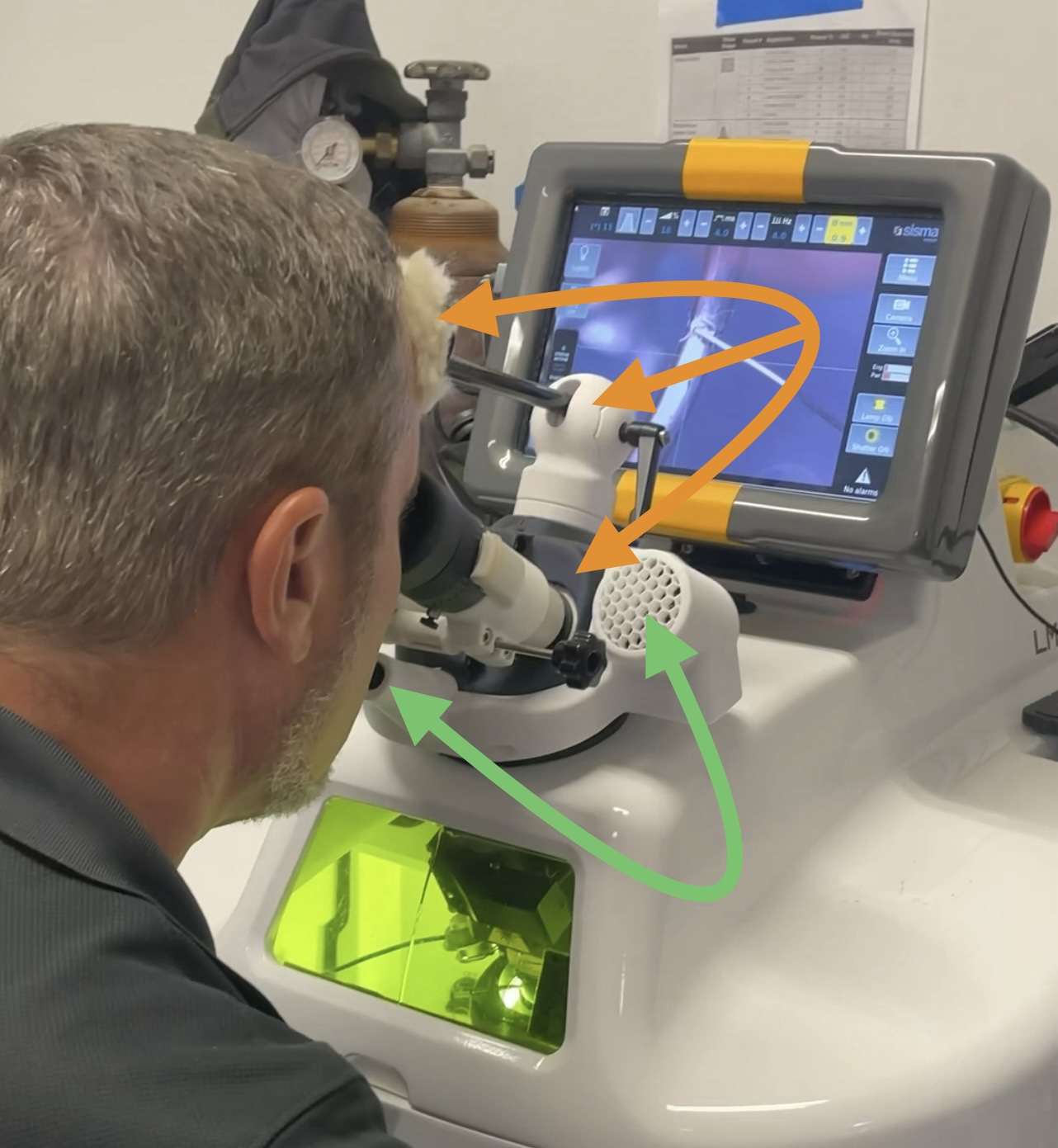
Our pre-built assembly places the mic at mouth level and a speaker to either side, aimed at your ears, with the mic and speakers already installed — so if you order the MSA you do not need the mic or speaker from the Amazon list. Currently the MSA only fits around our Leica 1 headrest, so your laser welder needs to use the Leica 1 optical head and a Leica 1 headrest ($225.00, sold separately or at the same time). The MSA and the headrest are both optional — Laser Assistant works without them.
Optional — Pedal module — $49.00
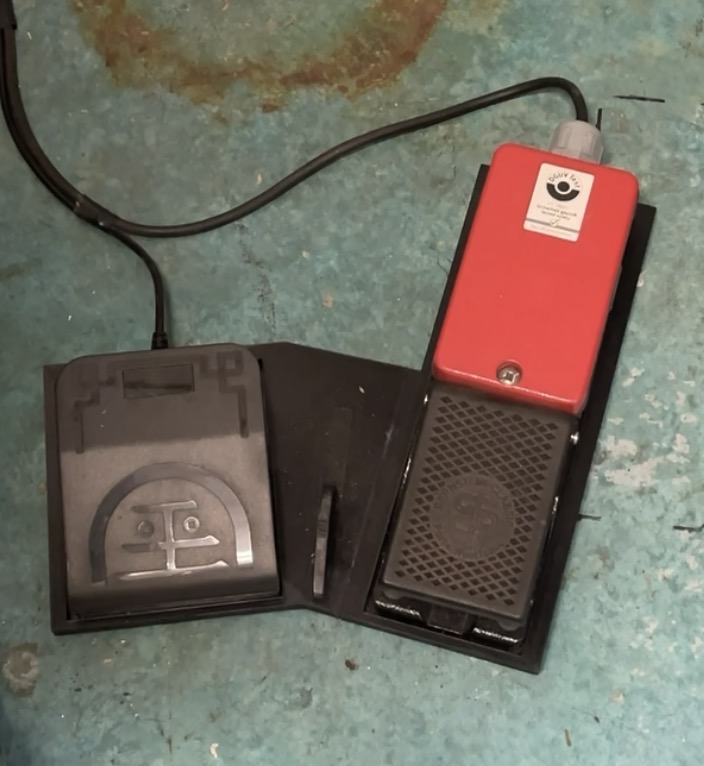
A simple 3D-printed piece with a socket for each pedal, so the LA foot pedal and your laser welder's foot pedal rest side by side and stay together. One piece that fits either side, so the USB pedal can sit on whichever side of your welder's pedal you prefer.
What each part does
These specific items are required. They are the ones Laser Assistant is built and tested against, so substitutes are not supported — the Amazon list holds the exact models.
| Microphone | A noise-rejecting microphone (the exact model is on the Amazon list). |
| USB foot pedal | Your "step"-to-talk pedal allows the microphone to listen to your commands "while being pressed". Separate from your welder's own pedal, which still fires the laser. |
| Speaker(s) | Place on or near your laser welder to hear LA feedback. |
| Powered USB splitter | This splitter is what connects the mic, speaker and pedal together. |
What you provide on-site
| 110V outlet | To power the powered USB splitter — mount it on the laser body or wherever you like. |
| Internet at the welder | A wired Ethernet connection to our server. Wi-Fi works too, using a Wi-Fi to Ethernet adapter. |
| A PC, tablet or iPad with a web browser | Used to log into your online portal to adjust your Laser Assistant features. If your laser can capture images, you can upload them to your LA portal on request — the browser is how you view, download and email them to clients. |
Hardware prices are plus shipping.
The fine print.
Laser Assistant never fires the laser welder. It only adjusts the settings for you — you keep full control over the actual firing of the laser.